How to Pair the IndoorCam With HomeBase 3?
To make your indoor camera connect to the HomeBase 3, please refer to the following steps:
Step One: Preparation Before Pairing
- Make sure the indoor camera and HomeBase 3 are already set up successfully in the eufySecurity app.
- Make sure the indoor camera and HomeBase 3 are connected to the same network.
- Please make sure your devices and eufySecurity app are updated to these firmware versions or above:
- IndoorCam: 2.1.8.3 or above
- S380 HomeBase (HomeBase 3): 3.1.7.8 or above
- eufySecurity App: 4.6.1 or above
Step Two: Add IndoorCam to HomeBase
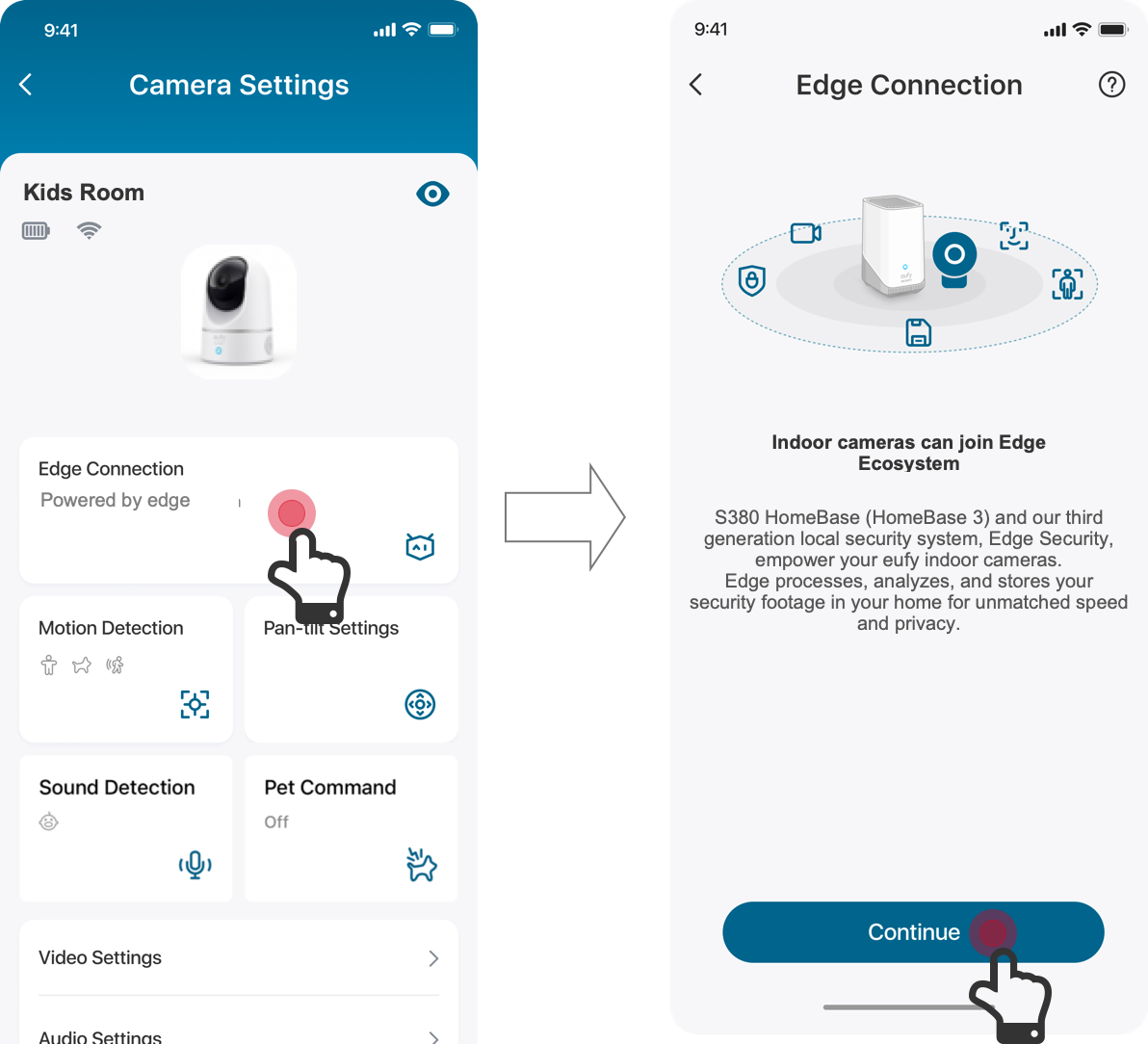
- Find the Edge Connection under the Camera Settings page. (Devices Page> “...” icon> Gear icon> Camera Settings> Edge Connection)
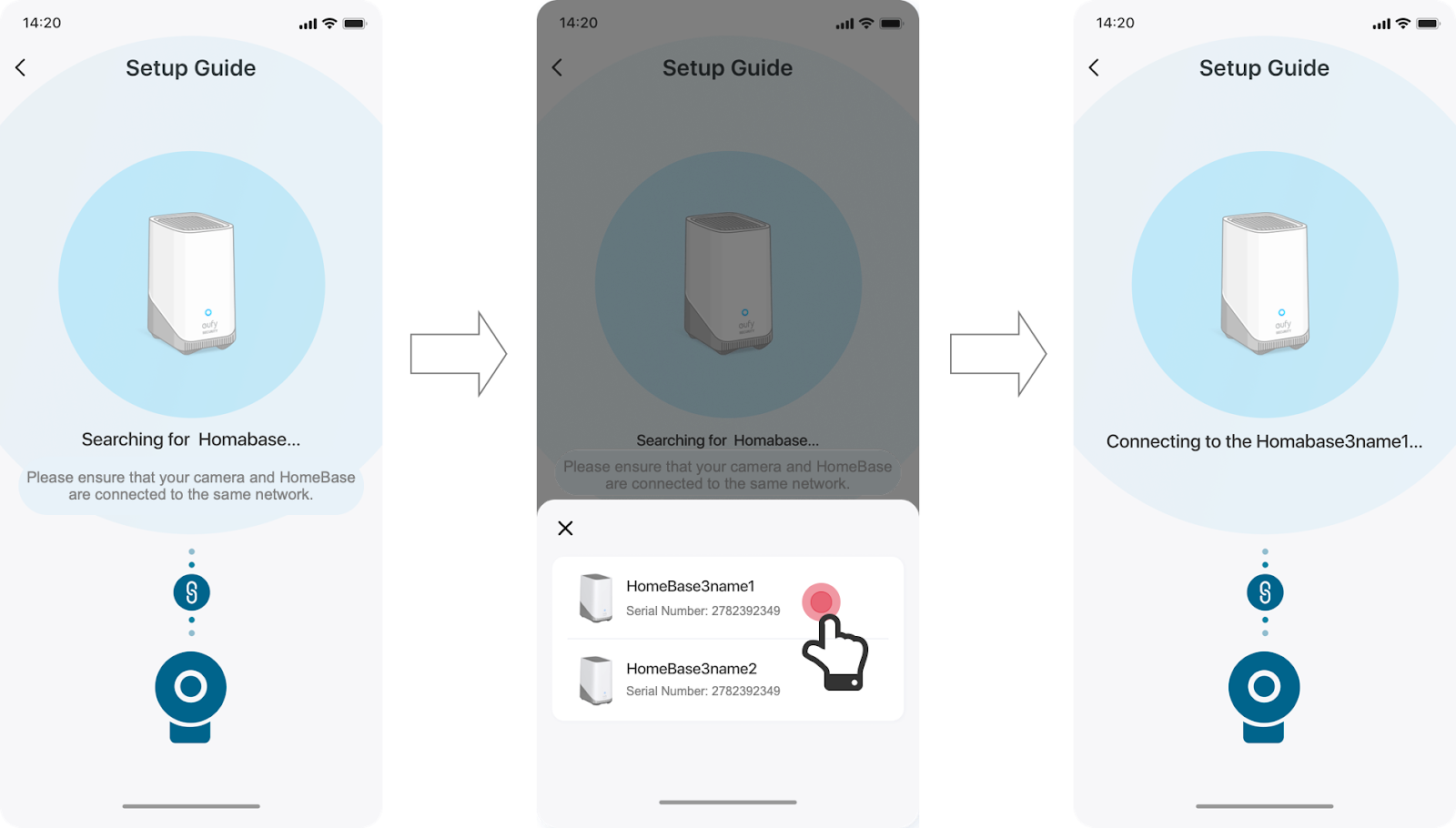
- Search for the existing HomeBase 3 and connect the indoor camera with the corresponding HomeBase 3.
- Choose which kind of videos you want to store in HomeBase 3.

Step Three: Test the System’s Performance
Then, the system will test whether everything is working as expected. If the test is successful, IndoorCam is now able to store videos on HomeBase 3.

If you have any further questions, please contact us for assistance.

How to Pair the IndoorCam With HomeBase 3?


0 undefined
