2024 Anker Prime Power to Drive Your Prime.Learn More >>
Anker
Search
Log In
Home
Manuals & Downloads
Service Inquiries
Contact Us
Go to Anker SOLIX
What to do if the monitor screen flickers when casting from the Anker Nano Laptop Docking Station (13-in-1)? (A83C3)

Please download the firmware from the link below and follow the step-by-step instructions to update it:

https://salesforce-knowledge-download.s3.us-west-2.amazonaws.com/000034607/en_US/000034607.zip

If you have any questions, please contact Anker Customer Support for further assistance.

Unresolved icon
10 undefined
What Should I Do If the Dock Stops Working?(A83C3)
View count icon1209 views/Like count icon1 likes
What Should I Do If My Monitor Isn't Displaying?(A83C3)
View count icon1465 views/Like count icon1 likes
Why Can't My Laptop Connect to Three External Monitors Using This Dock?(A83C3)
View count icon1136 views/Like count icon1 likes
Why Is Only One Display Visible When I Connect Multiple Monitors to the Dock on Windows or macOS?(A83C3)
View count icon4607 views/Like count icon1 likes
What Should I Do If the USB-A or USB-C Port on My Docking Station Stops Working?(A83C3)
View count icon6893 views/Like count icon1 likes
What Should I Do If the Ethernet Port on My Docking Station Stops Working?(A83C3)
View count icon2416 views/Like count icon1 likes
What Should I Do to Determine If the Dock is Compatible with My Computer?(A83C3)
View count icon1839 views/Like count icon1 likes
Why Does My Laptop Display a "Slow Charging" Warning When Charging via the Docking Station?(A83C3)
View count icon4002 views/Like count icon1 likes
What Should I Do If the Removable Hub Cannot Charge My Computer?(A83C3)
View count icon1789 views/Like count icon1 likes
How to Set Up the Docking Station for the First Time(A83C3)
View count icon2845 views/Like count icon1 likes
Play video
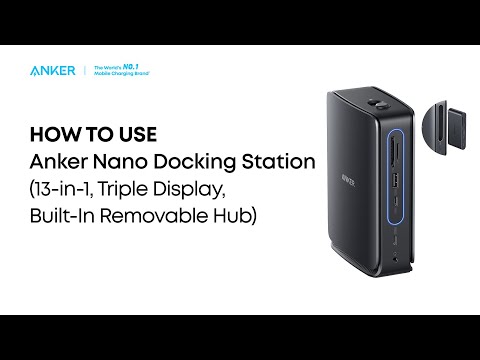
Anker Nano Docking Station (13-in-1, Triple Display, Built-In Removable Hub) Quick Start Guide

Contact Us
anker link

Canada:

Mon-Fri 6AM - 5PM (PT)

anker link

support@anker.com

anker link
Website Live Chat

Mon-Sun 8:00 AM-4:00 PM (PT)

Buy on the Anker Store
anker link

Hassle-Free Warranty

anker link

30-Day Money-Back Guarantee

anker link

Fast, Free Shipping

anker link

Lifetime Customer Support

facebookNew linktwitterNew linkyoutubeNew linkinsNew linktikTokNew link
Amazon American Express Apple Pay Diners Club Discover Google Pay Mastercard PayPal Shop Pay Venmo Visa
Products
Power BanksChargersWirelessCablesAC PowerHubs and Docks
About
Our CompanyContact UsSustainabilityTerms of UseMSA StatementBattery Safety
Program
AnkerCredits Rewards ProgramCommunityWhere to BuyCustomer ReviewsBecome An Affiliate
Support
Support CenterVerifyReturns & RefundsProcess a WarrantyShipping PolicyPrivacy PolicyDocuments & DriversConnected Equipment WarrantyProduct Recalls
Select Your Country/Region
North America
United StatesEnglishCanadaEnglishMexicoEspañol
Europe
United KingdomEnglishEuropeEnglishFranceFrançaisDeutschlandDeutschTurkeyTürkçe
Asia Pacific
AustraliaEnglish
AnkerIn
Anker
Soundcore
Eufy
AnkerWork
EufyMake
Select Your Country/Region
North America
United StatesEnglishCanadaEnglishMexicoEspañol
Europe
United KingdomEnglishEuropeEnglishFranceFrançaisDeutschlandDeutschTurkeyTürkçe
Asia Pacific
AustraliaEnglish
© Fantasia Trading LLC $year 200923810277   
About Us|
Shipping policy|
Refund policy|
Privacy policy|
Cookie Notice|
Your Privacy Choices |
Terms of service