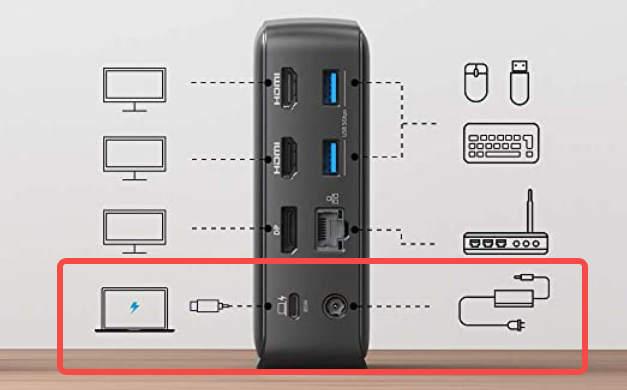
How to connect Anker 575 USB-C Docking Station to the laptop?
There are four items in the box: Anker 575 USB-C Dock, a 135W power adapter, a 1.2 m power cord, and a 1 m USB 3.1 Gen 2 USB-C to C cable.
To connect the dock to a laptop with a USB-C port that can support Power Delivery and DisplayPort Alt Mode, please follow the steps:
1. Plug one end of the included power adapter into the DC-IN port and the other into the power outlet.
2. Use the USB-C to C cable that comes with our dock to connect the dock's USB-C upstream port (with a computer icon) and the USB C port of your computer.
3. Press the power button. The LED will turn green and then blue.
If you still have problems with how to connect the dock to your laptop to get it working, please contact us for further assistance.