What should I do if the USB ports on my Anker product stop working?

If the USB ports (USB-A port or USB-C port) on your Anker Power Strip aren’t working, but the AC outlets still are, please try the following troubleshooting tips:

 
  • Make sure you have pressed the power switch (if the product has a switch)
  • Ensure the device you've used can be charged by a wall charger directly
  • Try another cable and device
  • Please let us know the model of the device you are trying to charge

If the above tips cannot help you solve the problem, please directly contact us for further assistance. Please briefly mention the tips you have already tried so that a solution can be provided faster.
Unresolved icon
38 undefined
Anker Warranty Policy
10755 views1 likes/2025-12-29 17:30:41
How to verify the authenticity of Anker products?
13366 views1 likes/2025-12-29 17:31:54
Warranty Claims for Quality-Related Issues
9944 views2 likes/2025-12-29 17:31:50
Shipping FAQ
6357 views1 likes/2025-12-29 17:33:05
30-Day No-Reason-to-Return FAQ
5655 views1 likes/2025-12-29 17:32:36
Can my Anker power strip be taken on a cruise ship?
5293 views1 likes/2025-04-07 17:54:42
Does my Anker power strip have surge protection?
5388 views1 likes/2025-04-07 17:53:50
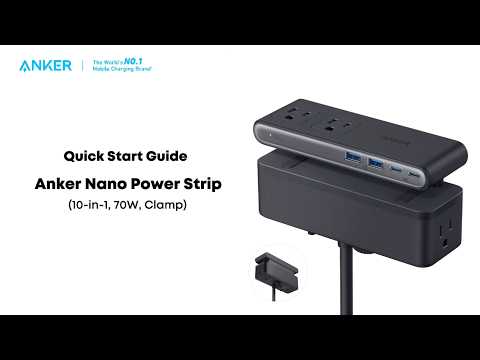
Play videoAnker Nano Power Strip (10-in-1, 70W, Clamp) Quick Start Guide
Anker Nano Power Strip (10-in-1, 70W, Clamp) Quick Start Guide
Contact Us
anker link

UK:
+44 (0) 1604 936 200

Mon - Sun 9AM-6PM (GMT)

anker link

Mon - Sun 9AM-6PM

Buy on the Anker Store
anker link

Fast, Free Shipping

anker link

30-Day Money-Back Guarantee

anker link

Hassle-Free Warranty

anker link

Lifetime Customer Support

Amazon American Express Apple Pay Diners Club Discover Google Pay Klarna Mastercard PayPal Shop Pay Venmo Visa