1. Which dock is recommended for the M1/M2 MacBooks?
1)Anker 563 USB C 10-in-1 Docking Station (A8395)
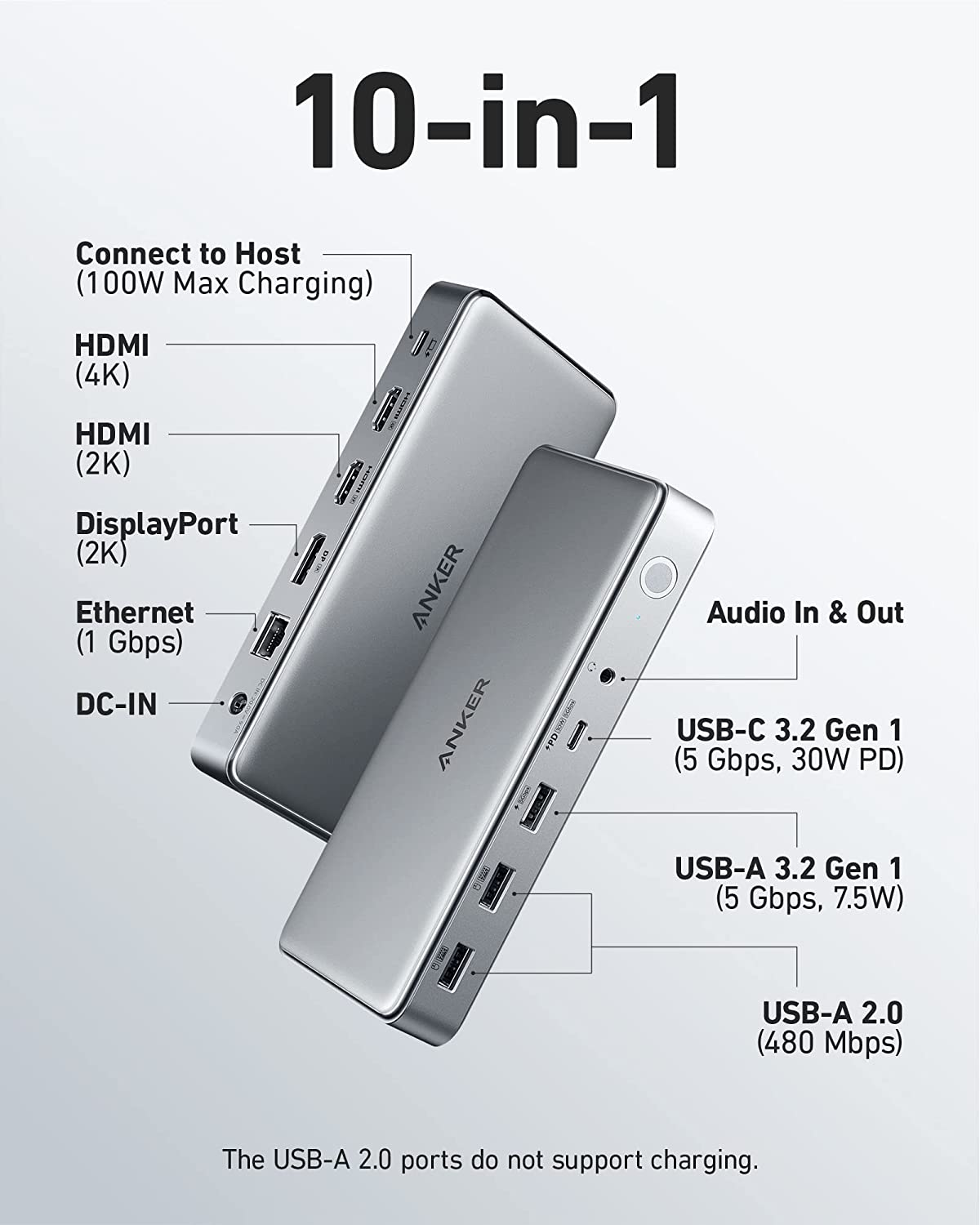
This dock can support a max of three monitors for the M1/M2 MacBooks; due to using the DisplayLink technology, each monitor can display different content to make multitasking a breeze.
As for this dock, please note that DisplayLink needs to be installed, and Screen Recording permission needs to be turned on when the DisplayLink software is installed. Otherwise, the 2K HDMI port and 2K DisplayPort can not be used normally. This permission is required to ensure normal port functionality; it will not be used for other purposes, and your privacy will be secured.

(Support Multi-Stream Transport (MST) for the M1/M2 MacBooks)
2. Which docks are recommended for the M1 Pro/ M1 Max MacBooks?
1)Anker 577 Thunderbolt 13-in-1 Thunderbolt 3 Docking Station (A8396)
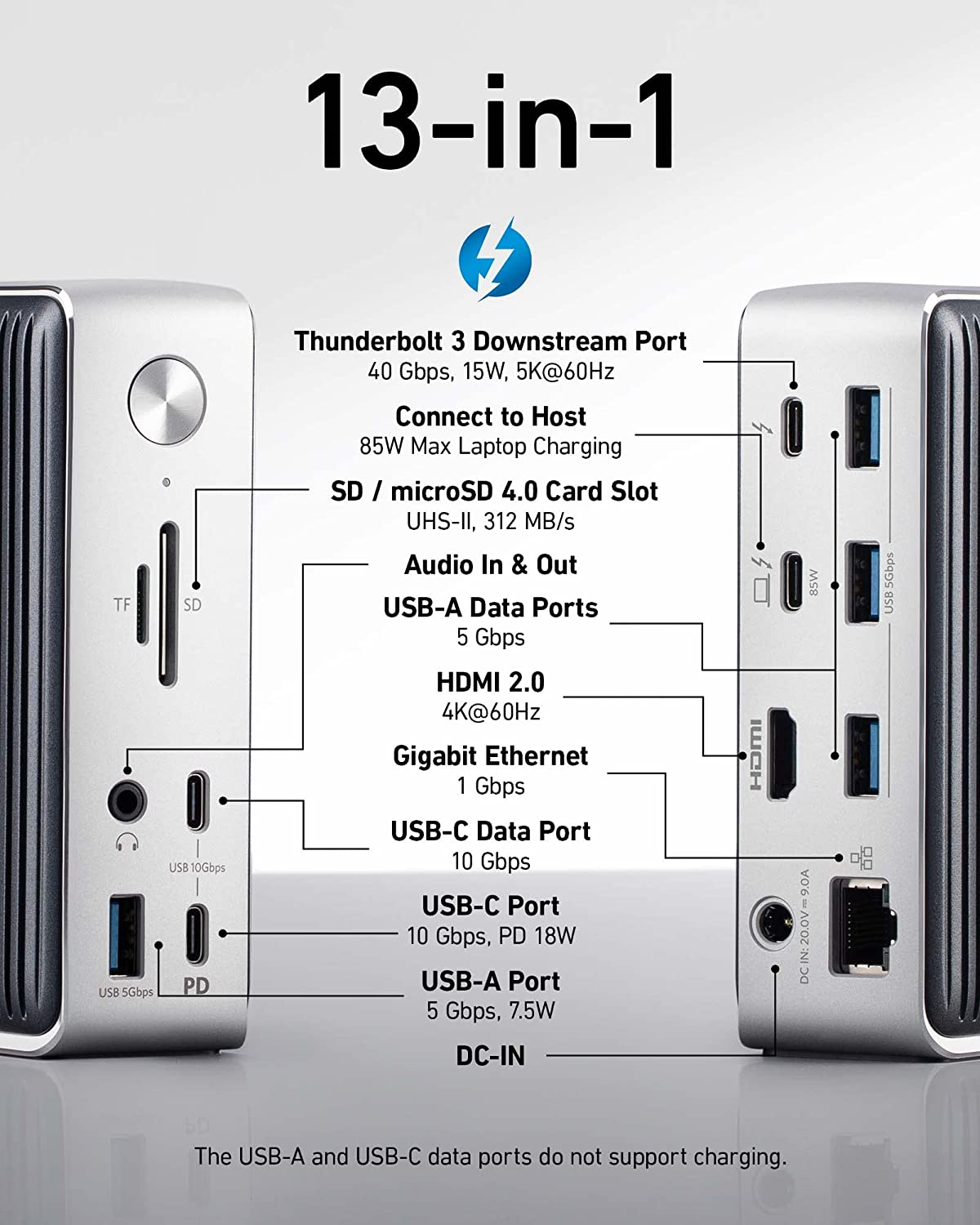
This dock can also support a max of two monitors for the M1 Pro/M1 Max MacBooks through its Thunderbolt 3 Downstream port and HDMI port.

(Support MST for the M1 Pro/M1 MaxMacBooks)
2)Anker 563 USB C 10-in-1 Docking Station (A8395)
This dock can support a max of three monitors and Multi-Stream Transport(MST) for the M1 Pro/M1 Max MacBooks.
Please also note that DisplayLink needs to be installed, and Screen Recording permission needs to be turned on when the DisplayLink software is installed. Otherwise, the 2K HDMI port and 2K DisplayPort can not be used normally. This permission is required to ensure normal port functionality; it will not be used for other purposes, and your privacy will be secured.
(Support MST for the M1 Pro/M1 MaxMacBooks).
Please contact us for assistance if you have any further questions.


